 99DFY Screenshots
99DFY Screenshots
99DFY Screenshots
For webinars, demos & how-to guides
Grab anything on your screen, point at what matters, and share it or present it straight away. No more long emails, extra calls or a PowerPoint deck built at midnight.
Sign up with Google or your email. Takes 10 seconds.
Continue with GoogleAlready have a password? Sign in with it
We email you a one-click sign-in link, no password needed (you can add one later on your Account page). By signing up you agree to the Terms and Privacy Policy.
Unlimited storage
Every screenshot you take can be saved online with a link you can share. There's no gigabyte limit, no counter ticking down, and nothing to delete to make room.
What it does for you
Whether you're teaching a webinar, helping a client or writing a how-to, here's what changes.
No more screenshot, save, find the file, drag it in. Press one key, drag a box, and it's already on your clipboard. Paste it anywhere.
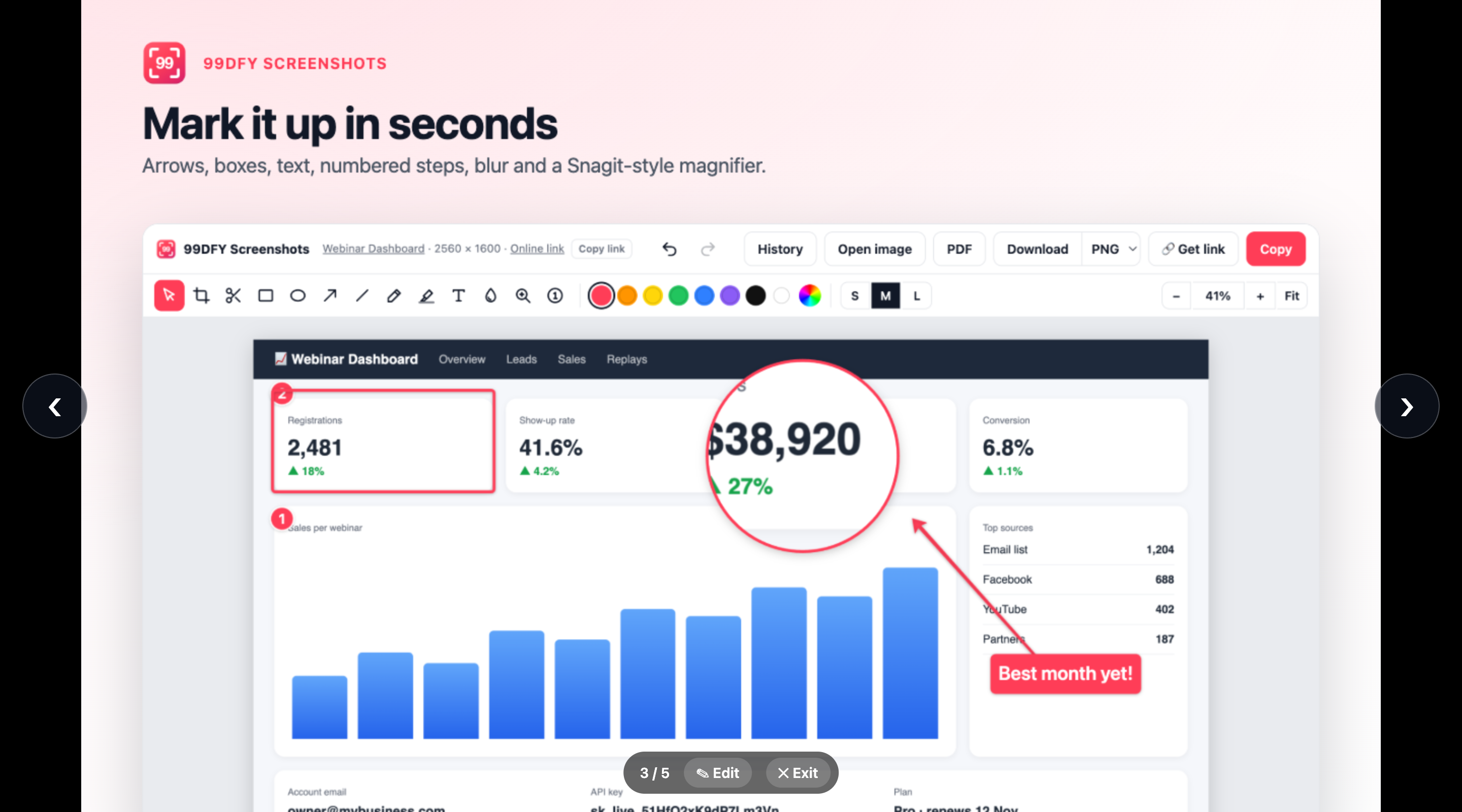
One key · already copiedArrows, boxes, numbered steps and a zoom lens send every eye to the exact button or number you mean. No back-and-forth, no "which one?"
Mark-up tools · MagnifyMarks appear one click at a time while you present, so people follow you step by step instead of reading ahead.
Click-by-click animationYour screenshots become a full-screen slideshow in seconds. Forgot a slide? Paste it in mid-presentation and keep going.
Slideshows · add slides liveSend a screenshot or a whole slideshow as a link. They open it in any browser, animations included. Nothing to install, no huge attachments.
Web links · web slideshowsBlur emails, API keys and customer names before anyone sees them. The blur is baked into the picture and the link.
Blur with a strength sliderSee how it works
Everything happens in one place. Here's what each step looks like.
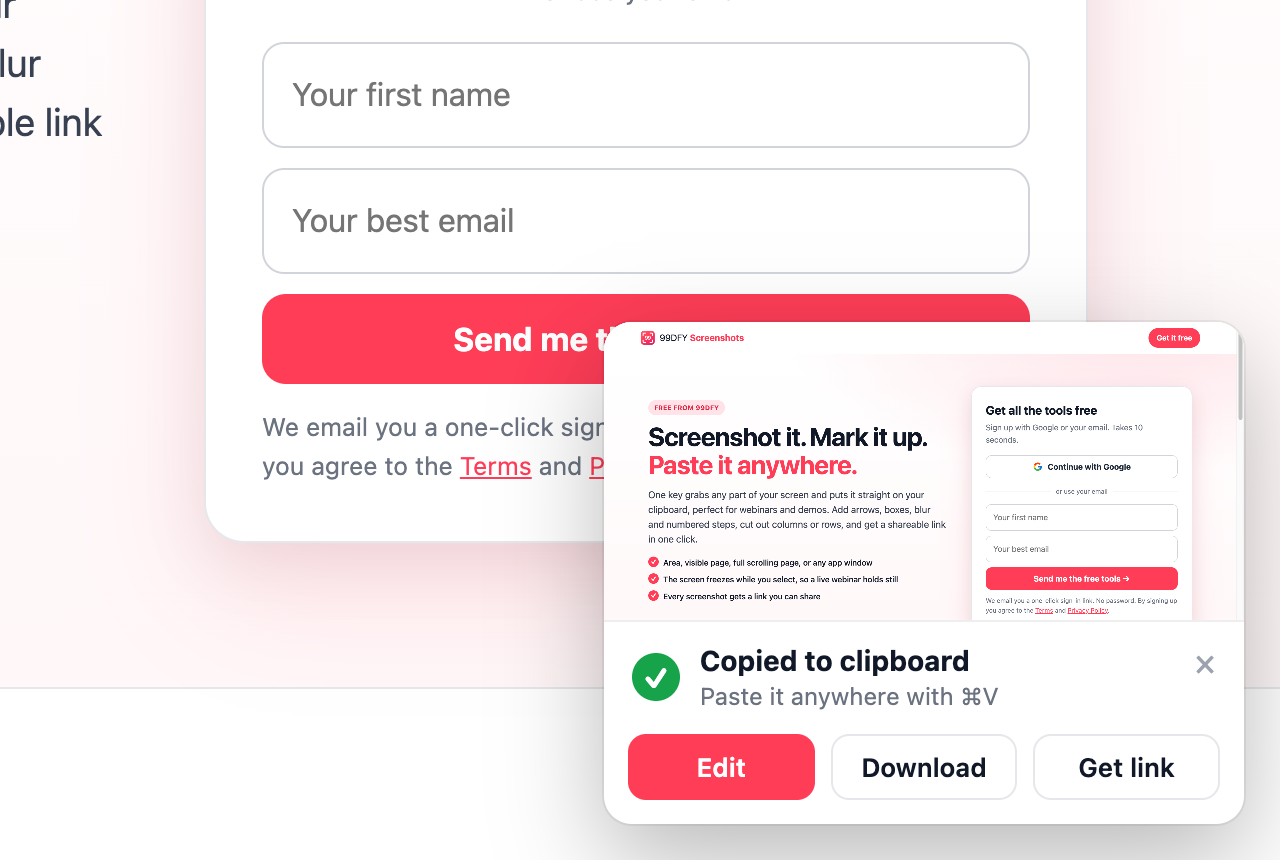
Press ⌥⇧S, drag a box, let go. A small card confirms it's on your clipboard, with Edit, Download and your link right there.
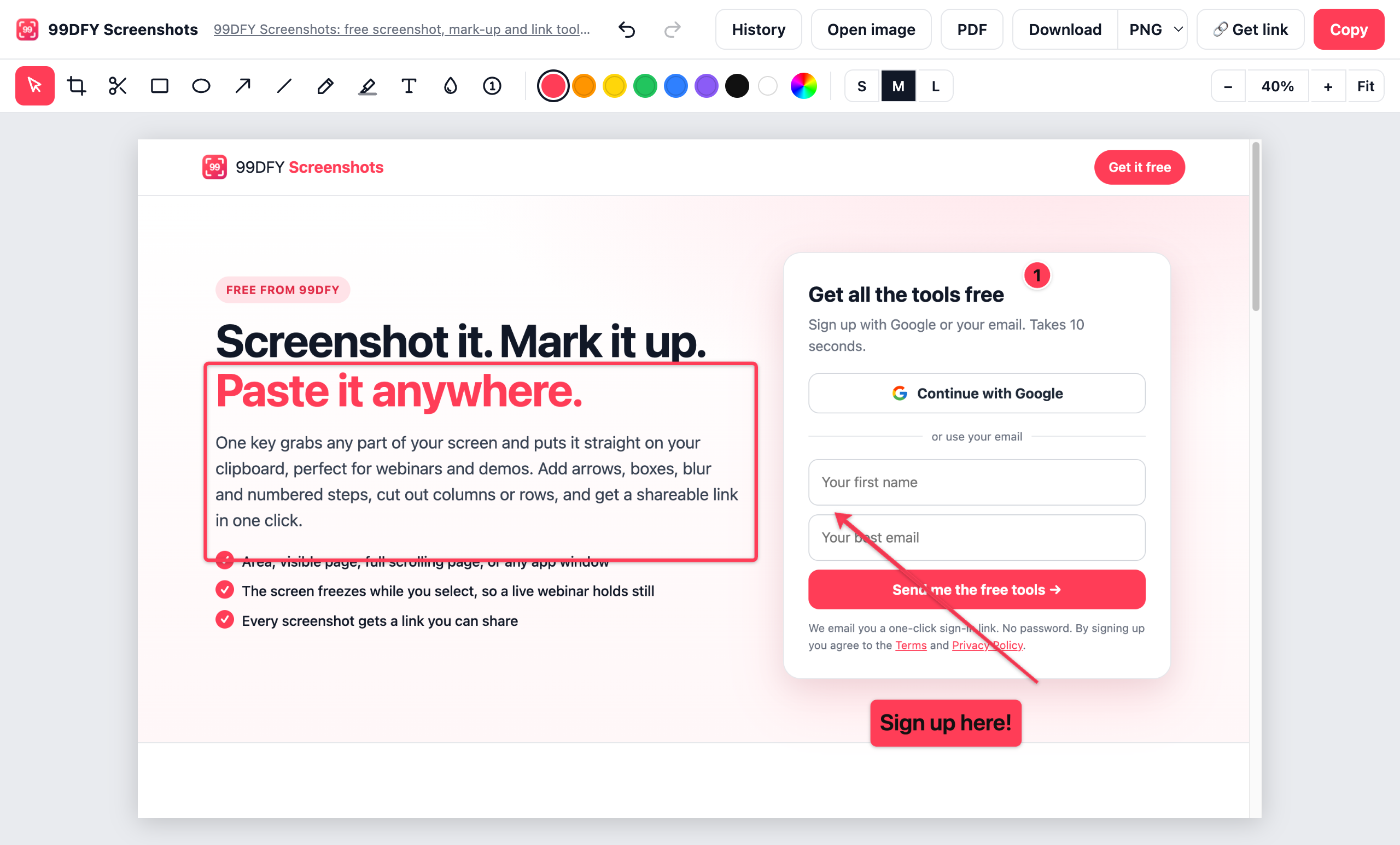
Move, recolour or resize any mark, any time. Every change copies itself and saves itself, so you can come back tomorrow and keep editing.
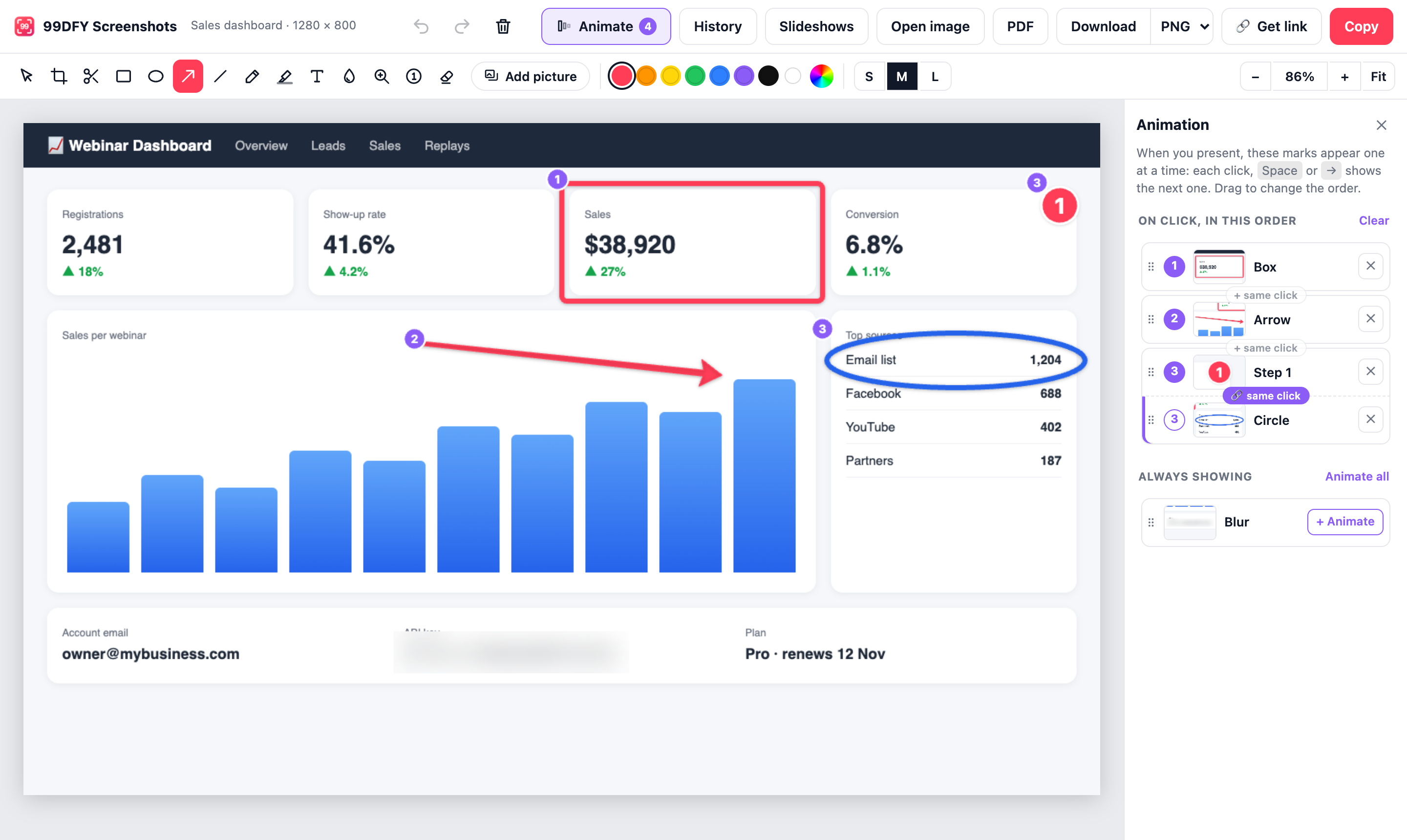
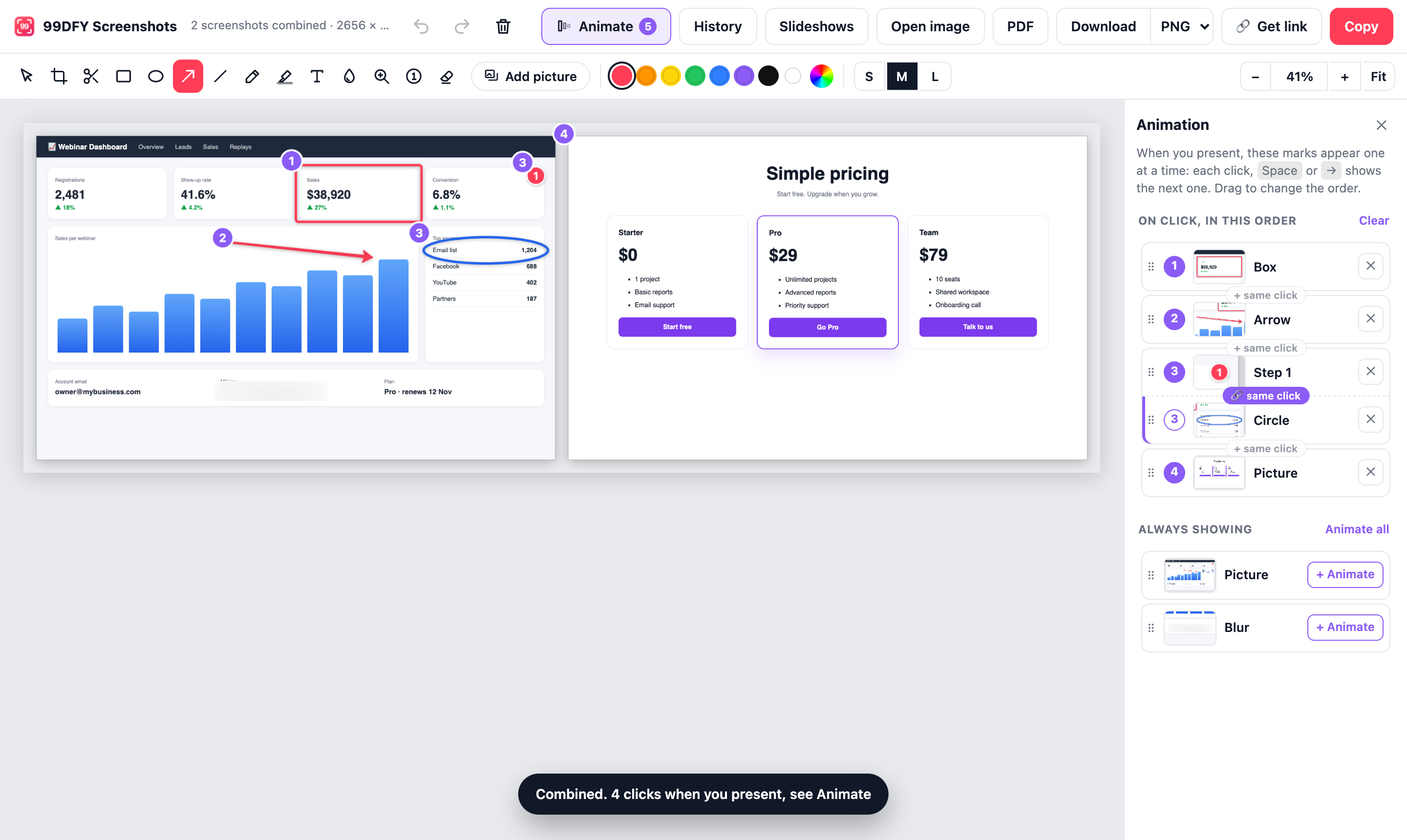
Open Animate and pick the marks you want to reveal. Drag them into order, and put two marks on the same click when they belong together.
Tick two or more screenshots and put them side by side, stacked or in a grid. Each picture can appear on its own click, and its marks travel with it.
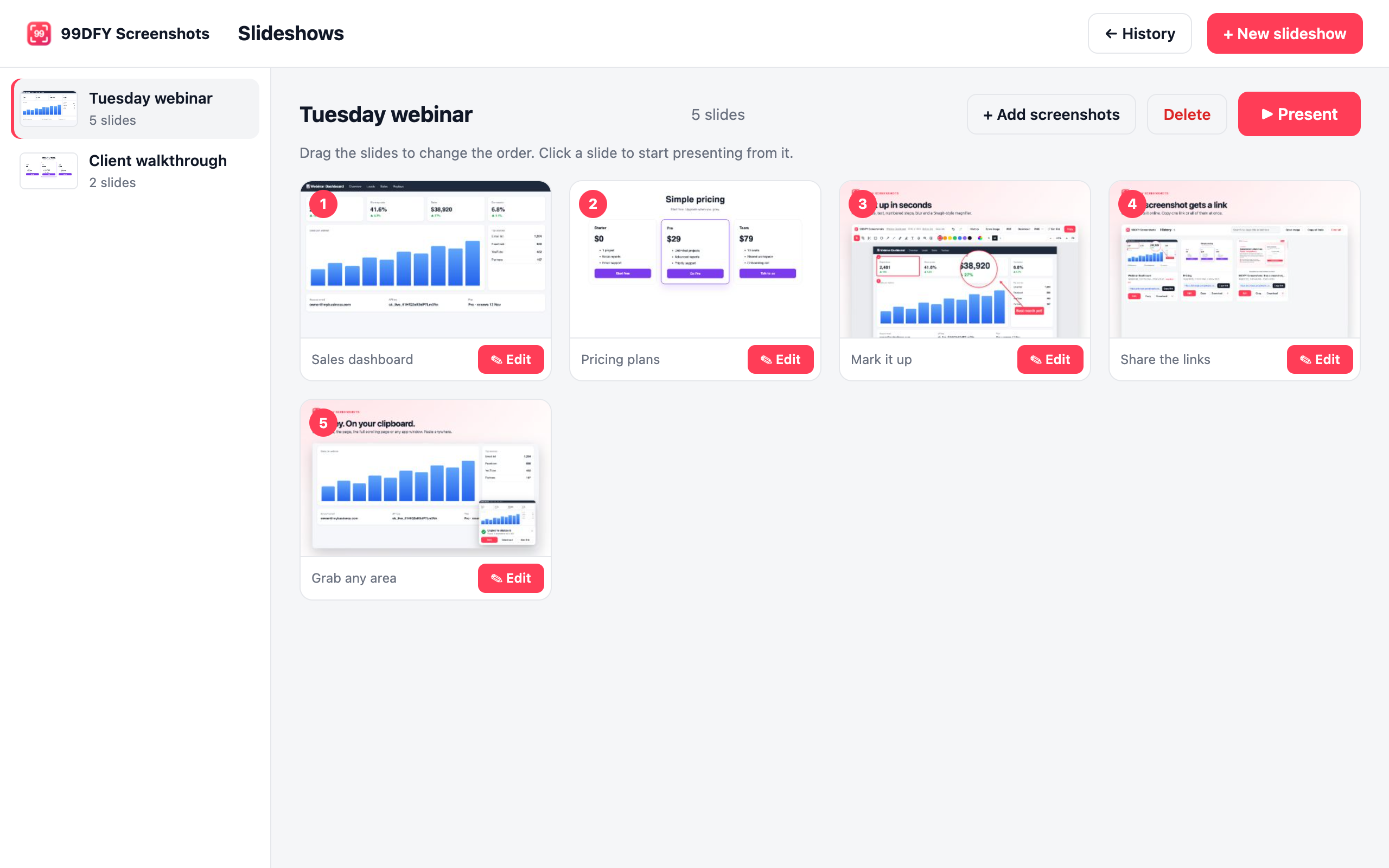
Tick the screenshots you want, drag them into order and give it a name. Paste or drop in images from anywhere, and keep one slideshow per webinar or client.
Click Present and your screenshots fill the screen. Spot something to fix? Press Edit, fix it, and you're back on the same slide. Afterwards, send the web link and people can watch it again, click by click.
Every feature
The whole job in one tool: grab it, explain it, present it, share it.
Get started
Sign up once, add the extension, and press ⌥⇧S. That's the whole setup.
Sign up with Google or your email. Takes 10 seconds.
Continue with GoogleAlready have a password? Sign in with it
We email you a one-click sign-in link, no password needed (you can add one later on your Account page). By signing up you agree to the Terms and Privacy Policy.